If your hosting is managed, what is actually being managed?
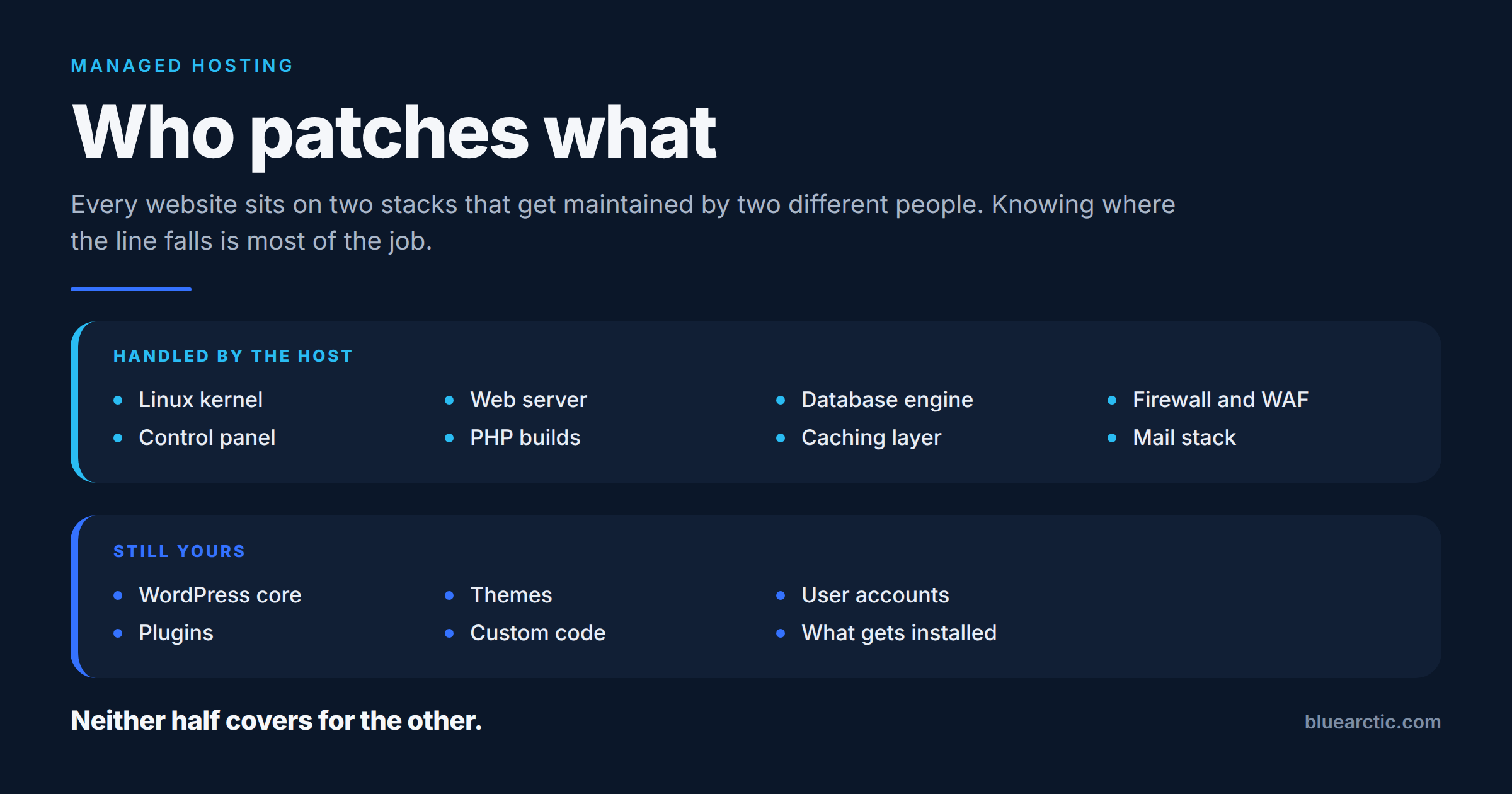
The short answer: every website runs on two stacks, and they are maintained by two different parties. Your host maintains the platform underneath the site: the server, its operating system and kernel, the control panel, and the server software the platform provides. You, or whoever maintains your site, look after the application on top of it: WordPress, plugins, themes, custom code and the accounts that can log in. Neither half covers for the other, and most unpleasant surprises in hosting happen because nobody drew that line explicitly.
Providers tend to answer the question with adjectives. This is the longer answer, with the line drawn.
Two stacks, one website
The half most people think of as the website is the application layer. WordPress core, plugins, themes, custom code, the user accounts with access to it, and the decision to install something in the first place. It has a dashboard. It produces update badges. It tells you when it wants attention.
Underneath it sits the platform. The Linux kernel, the control panel, the web server, the PHP builds, the database engine, the caching layer, the firewall. None of it appears in your dashboard. There is no badge, no notification, and usually no sign that anything happened at all.
Where the line falls
This is how the split works on Blue Arctic hosting. The exact line moves a little between products, so the notes column says where.
| Layer | Who maintains it | Notes |
|---|---|---|
| Server hardware, network and datacenter | Blue Arctic | All products. |
| Operating system and kernel patches | Blue Arctic | All products, including Cloud Servers, where root access is also yours. |
| Control panel and PHP updates | Blue Arctic | Managed and tested by us. On a Cloud Server, software you install yourself over SSH is yours. |
| Malware scanning, web application firewall, SSL, edge DDoS filtering | Blue Arctic | Switched on for every product before a site goes live. |
| Daily backups | Blue Arctic | Retention depends on the product. Keeping your own copy of anything business critical is still yours. |
| WordPress core, plugins and themes | You | Or a maintenance plan. On Managed WordPress Hosting, Patchstack virtual patching blocks known plugin and theme flaws at the platform level, which buys time. It does not update the plugin. |
| Passwords, user accounts and who has access | You | Including turning on two-factor authentication wherever your application offers it. |
| What gets installed in the first place | You | The platform can contain a bad plugin. It cannot decide not to install it. |
The same split is published on our security page as what we do and what stays yours.
What a month of platform maintenance actually looks like
May 2026 is a reasonable illustration, because several unrelated things landed close together.
A cPanel EasyApache 4 release carried security and maintenance fixes across a long list of components at once: Apache, PHP, Tomcat, Redis, Valkey, nginx njs, ModSecurity and LSAPI. That is one update touching most of the software that actually serves a page.
Separately, three Linux kernel privilege escalations arrived in the space of about two weeks. Copy Fail (CVE-2026-31431), in the algif_aead module, affected Linux kernels going back to 2017. Dirty Frag followed in the xfrm subsystem while it was still listed as CVE pending. Then Fragnesia (CVE-2026-46300), which CloudLinux reported affected CloudLinux 7h, 8, 9 and 10, with a working public proof of concept.
None of that was visible from inside a website.
Local does not mean someone in the building
Kernel privilege escalation flaws get described as local vulnerabilities, and that word does a lot of damage. It sounds like a problem for somebody with physical access to the machine, which sounds like somebody else’s problem.
On shared hosting, local means any account already on that server. That is the whole point of the vulnerability class. An attacker who gets a foothold through an ordinary web application weakness, possibly an outdated plugin on a different site on the same machine, starts as an unprivileged local user. A kernel privilege escalation is the step that turns that foothold into root.
Which is why a flaw three layers below your application, in software you have never configured and cannot see, is your problem too, even though it is not your job to fix. It is also why account isolation matters on shared hosting. On our Shared Web Hosting, CloudLinux gives each account its own CPU, memory and process limits, and CageFS keeps each account’s files out of view of the others. Isolation narrows what a foothold can reach. It does not replace patching the kernel.
Why neither half covers for the other
The two stacks fail independently.
A rigorously patched platform does nothing for a site running a plugin with a published vulnerability and no update in two years. Published vulnerabilities get scanned for within days, automatically, by tooling that has no idea what your site is or how small the business behind it is.
A disciplined plugin routine does nothing about a kernel bug. You cannot patch a kernel from inside WordPress, and no amount of application hygiene changes what the machine underneath is running.
That is the practical content of the word managed. Not that somebody is watching your site, but that somebody owns the half you cannot reach.
The exposure window is the real measurement
For platform vulnerabilities, the number that matters is not whether a fix exists. It is how long the gap lasts between disclosure and that fix being applied everywhere.
That gap is rarely a technical problem. The patch is usually available quickly. What stretches it is deciding to apply it, finding a maintenance window, and confirming it landed on every machine. When working exploit code is already circulating, those days are the risk.
Live kernel patching is the main tool that shortens it. It applies a kernel fix to the running kernel in memory, with no reboot. On CloudLinux that is KernelCare, and CloudLinux published KernelCare livepatches for these May issues. It was part of how we handled them.
The limits are worth stating plainly. Live patching covers a large share of kernel vulnerabilities, not all of them. Some fixes still require a reboot. Control panel, web server and PHP updates follow their own paths, and some need a service restart. Live patching does not abolish maintenance windows. It removes them from the category of fix where waiting costs the most.
Four questions worth asking any host
- Which components do you patch, named specifically, and which stay with me?
- Do you tell me when you act on something, or do I find out by asking?
- For kernel level issues, do you live patch, and what is the usual gap between disclosure and applied?
- On the half that stays with me, who is actually doing it? The person who built the site four years ago is a common and uncomfortable answer.
None of these are secrets. They are just rarely on a pricing page.
Where our line sits
On every Blue Arctic product, we apply operating system and kernel patches proactively, critical and high severity first; manage and test control panel and PHP updates; and monitor server health, file changes and unusual log activity around the clock. The PHP versions we offer are ones that still receive security fixes: 8.3, 8.4 (the default) and 8.5.
For the kernel issues in May, we wrote up what they were and what we did about them:
- Dirty Frag, Copy Fail and managed hosting security
- Security bulletin: Fragnesia and recent cPanel security updates
The application half stays with the site owner. Two things follow from that. First, where we tell you a security patch, update or configuration change is needed and it is not applied, our SLA excludes service credits for problems that follow. Second, if you would rather not own that half yourself, Website Care adds a person who reviews every WordPress core and plugin update before it goes live, on a site hosted with us or anywhere else.
That is not a dodge. It is the part of the boundary worth knowing before something needs patching, rather than after.